 CanItFit
Start with the item in its travelling form
For flat-pack furniture, find the package dimensions and the number of boxes. The assembled bookcase dimensions describe a different shape from the cartons you will load. IKEA lists assembled measurements and Packaging information in the product’s Measurements section; check every package listed for the item.
For a Marketplace pickup, ask the seller to measure the actual piece, including the widest arms, feet and handles. If a part will be removed, confirm that with the seller and measure the remaining shape. Allow for the wrapping or padding you intend to use. Keep a separate line for every piece or box.
Choose the seat setup before measuring
Open the hatch or trunk and set up the car as it will be on the day. Fold the seats you can spare, leaving the seats needed for passengers in place. Check how far the front seats will be back while someone is sitting in them.
Look at the space the furniture will occupy. A raised floor, sloping rear glass, seat backs and wheel arches can all change the usable shape. Record which seat setup each set of measurements belongs to so you do not combine the length from one setup with the height from another.
Measure the opening separately from the inside
Measure the clear width and height of the rear opening, paying attention to its curved corners and any fixed trim. Then measure the space inside: usable floor length, width at the wheel arches or other narrow points, and height where the item will sit. Keep the tape straight and record the points you measured between.
Compare these measurements with the item in a plausible loading orientation. A wide top and narrow base may need more detail than one overall width. If you need to turn a long item after it enters, look at the space for that turn as well as its final position.
| Record | What to check |
|---|---|
| Item or package | Width × height × depth, including parts that stick out and planned padding |
| Package count | A separate set of dimensions for every box or loose piece |
| Rear opening | Clear width and height, with the narrow points and curved corners noted |
| Space inside | Usable length, width and height where the item will sit |
| Seat setup | Seats up or folded, front-seat position and any space reserved for passengers |
| Orientation | Which way the item can travel, following its manufacturer’s handling instructions |
Check the tight dimension again
Use one unit throughout the comparison. For a close fit, repeat the measurement at the point that limits it, including any lip, handle or trim you first measured past. Keep measured values separate from an estimate copied from a car listing.
CanItFit checks the rear opening and the space inside separately, then shows side, opening and 3D views. A Close call identifies the measurement to recheck. Cars in the catalog use typical model dimensions; measuring your own car is useful when trim, accessories or a small clearance could decide the trip.
The check compares dimensions. It doesn’t model tilting an awkward shape through the opening or packing several boxes together, so check those yourself when the fit is tight.
Plan how the item will travel
Follow the item maker’s orientation and handling instructions, and check your vehicle’s manual for its load limits and cargo guidance. Leave space to tie the item down. NHTSA’s cargo guidance covers securing a load and not overloading the car.
Send the seller your questions and settle any disassembly or package-count uncertainty before you set off. If the measurements remain too close to confirm, arrange a larger vehicle or delivery while you still have that choice.
Sources and further reading
Check your measurements in CanItFit
Try the free example items and cars to see the opening, side and 3D checks. Vehicle Pro is a one-time unlock for your own items, the full car catalog and cars you measure yourself. Save your car’s measurements, enter the item, and compare the seat setups before arranging the pickup.
Free examples · One-time Vehicle Pro unlock · iPhone and Android
See how CanItFit works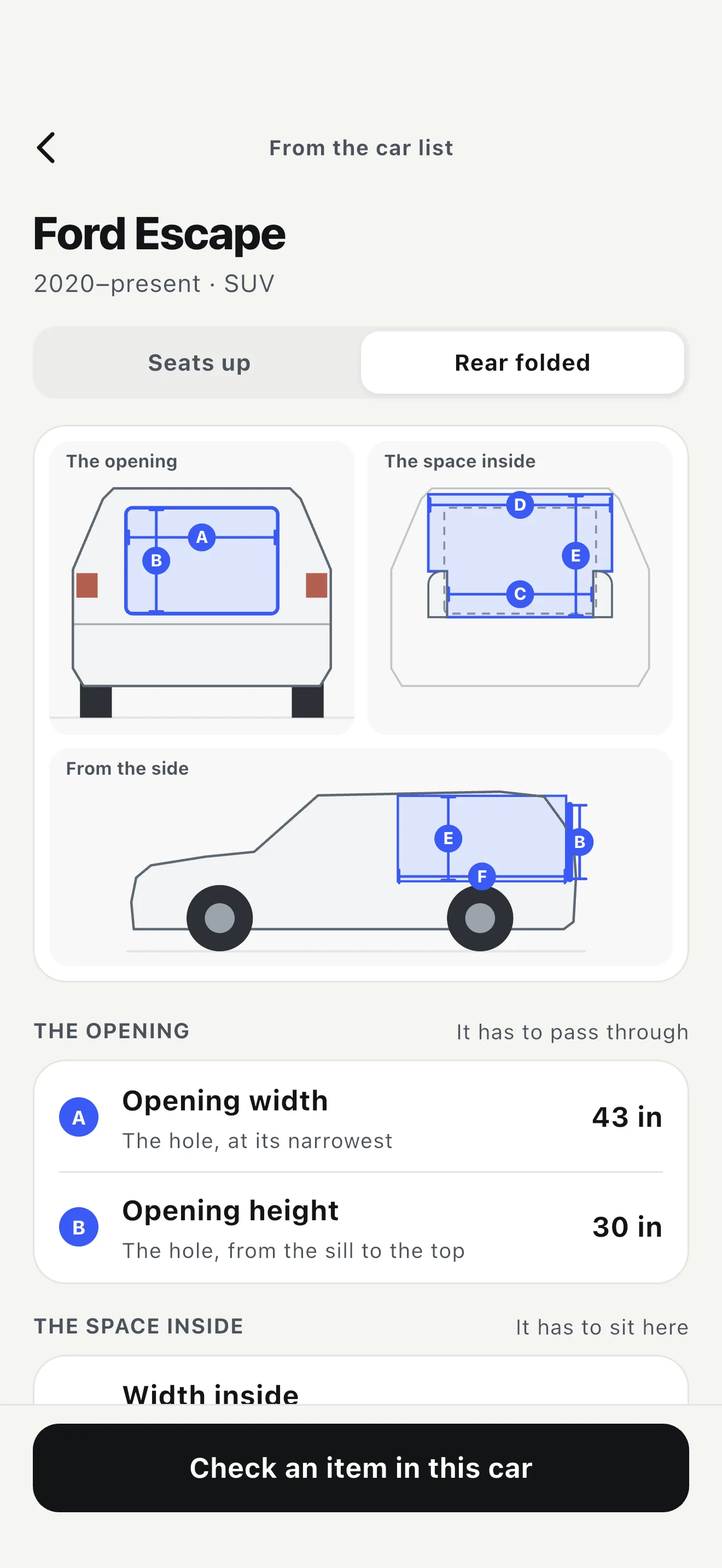
Questions
Can I use trunk volume to tell whether furniture fits?
Volume does not tell you the shape or size of the opening. For a particular item, compare its dimensions with the rear opening and the usable space inside, in the seat setup you will use.
What if the furniture comes in several boxes?
Get the dimensions and count of every package. Check each box, then work out how the boxes will share the space and be secured. An individual item fit check does not show that several packages will fit together.